KYC Settings
KYC Settings
The Stack Console's KYC Settings tab enables admins to define document requirements for verifying customer identities.
- From the left-hand side menu, navigate to the Settings tab. Under Settings, select the System option and click on KYC Settings.
- The KYC Settings page displays a list of all KYC settings available.
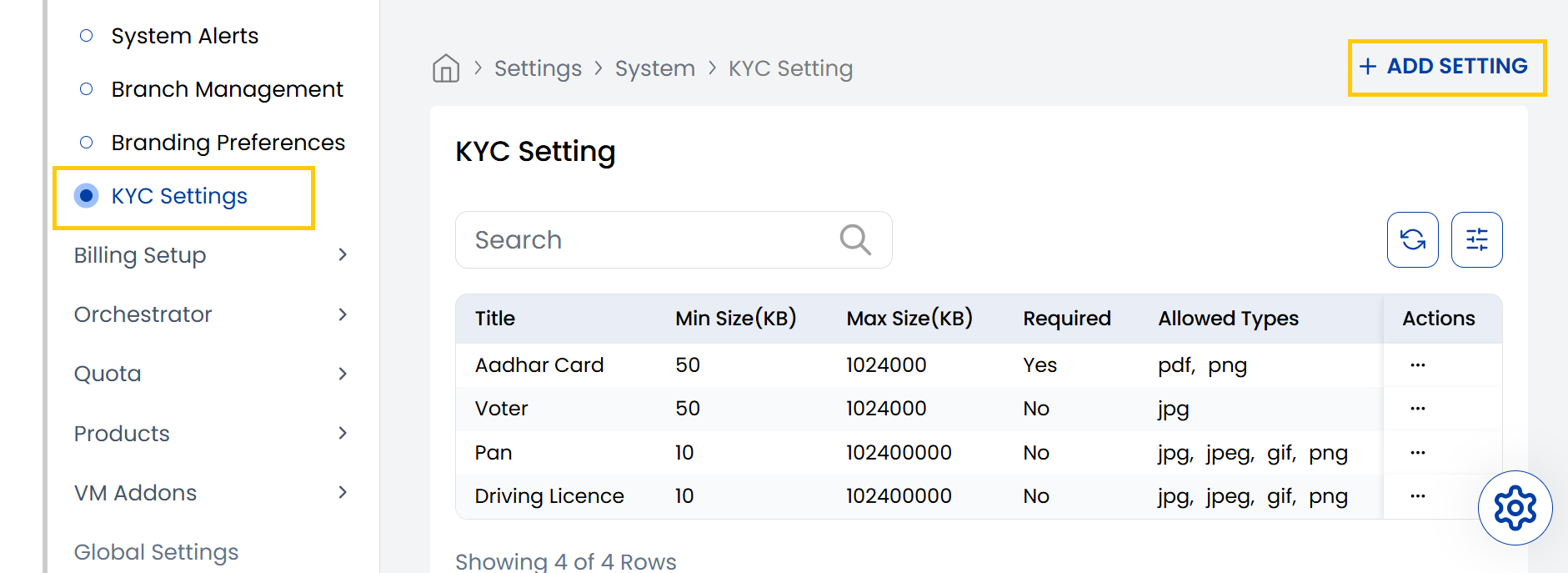
- To create a new KYC Settings click on Add Setting located on the right-hand side of the page.
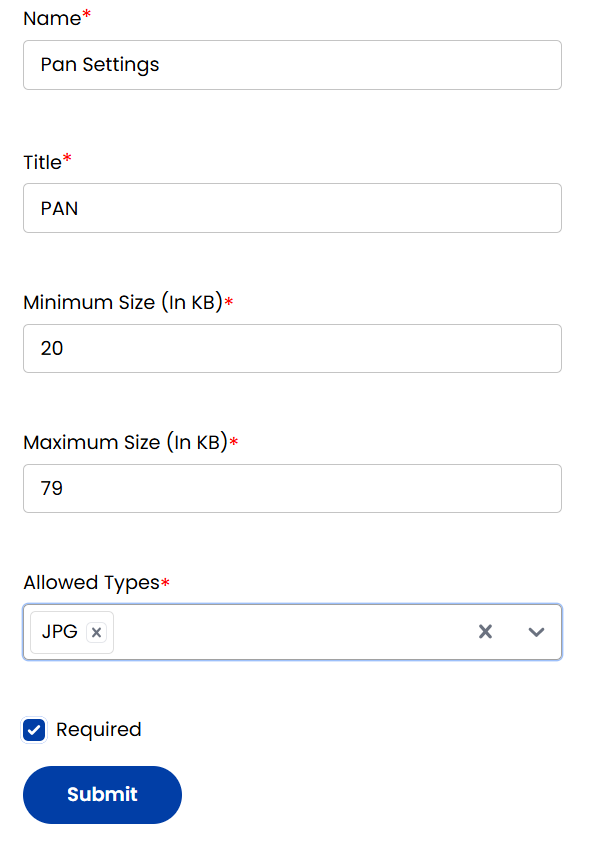
- You can add KYC settings by specifying document name and title. Specify the file size limits and allowed file types (jpg, png, pdf, gif).
- Click on required to make the submission mandatory and click on Submit.
Conclusion
The KYC Settings section provides configurable identity verification requirements for customer onboarding. For KYC configuration assistance, contact Stack Console support.